Jun 26
Include Total Weight in Order Export
Improvement
 Dan Ramdial
Total Weight has been added as a column when exporting Orders.

Dan Ramdial
Total Weight has been added as a column when exporting Orders.
 Tim Robertson
You can now upload multiple files or images at once to your Givecloud storage.
 Tim Robertson
When editing website content (or anywhere the text editor is used), you can use the 'Add Media' button to add an image gallery to your page. Simply select multiple images in the image dialog and click 'Insert Gallery' at the top of the image dialog.

 Josh Bloomfield
Find the new report under Reports > Referral Sources to get a quick high-level view of your most effective fundraising referrals.
Josh Bloomfield
Tributes with too little information provided (ex: only a first name but no last name) were jamming up the DonorPerfect sync. This has been resolved.
Josh Bloomfield
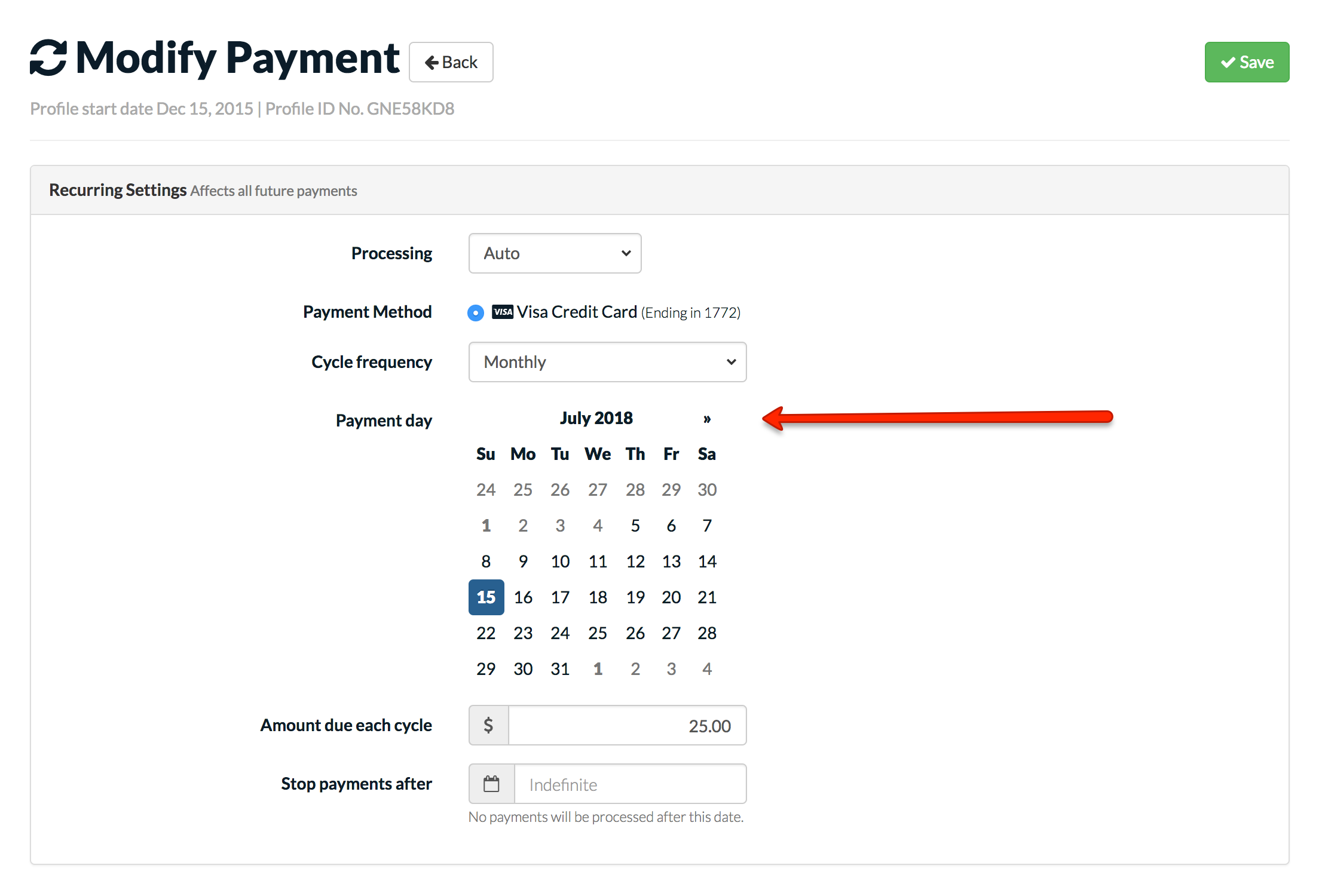
You can now set the next-bill date for recurring payments. Look for the new inline calendar when editing a recurring profile.
 Dan Ramdial
Multi-select custom fields no long auto-select the first option. Required fields now display an asterisk beside them.
Josh Bloomfield
We improved staff notifications when recurring payments process. We also added a new notification when a webhook integration fails.
Tim Robertson
Previously, hidden custom fields were not working correctly on one-page checkout. This has been resolved.
Tim Robertson
Previously, there was an issue uploading and saving banner images. This has been fixed.
Josh Bloomfield
Have a fund or cause that you are raising funds towards that uses the one-page checkout? You now have the ability to enable comments and show a list of past donations on the one page checkout.
Donation history
Enable an honour roll that shows all donations that have previously come in. Donors have the option of donating anonymously.
Comments
Allow your donors to leave a comment with their donations. Comments are displayed publicly in the honour roll.
Tim Robertson
You can now use a donors' saved payment methods to process an order through the POS. If a previous donor is chosen when completing an order, their saved payment methods are now available as a payment option.
Thanks Children Of Grace!
Josh Bloomfield
Previously, sponsored children were still accessible publicly through the URL even though they were removed from the list of children to be sponsored. This has been resolved.
Thanks SAF International!
Josh Bloomfield
Previously, the links to tax receipts for transactions in the donor portal were broken. This has been resolved now.
Thanks SAF International!
Tim Robertson
Previously, in certain scenarios, products that had no stock remaining were still available for purchase. This has been resolved now.
Thanks Deerfoot Lodge!